In 2026, the web development landscape has decisively shifted toward headless architecture. Teams seeking the best headless CMS for Next.js are turning to proven, flexible solutions that deliver unmatched performance, scalability, and developer experience. WordPress as a headless CMS stands out as the pragmatic choice—especially for organizations already invested in the WordPress ecosystem. Paired with Next.js and React, it creates a powerful headless WordPress React stack that powers lightning-fast, content-rich experiences.
This approach decouples the content management backend from the frontend presentation layer, allowing self-hosted headless CMS deployments that maintain full data ownership while leveraging modern JavaScript frameworks. Whether you’re building marketing sites, enterprise portals, or high-traffic headless CMS ecommerce platforms, headless WooCommerce delivers enterprise-grade commerce without compromising speed.
CTO s and senior frontend developers who prioritize Core Web Vitals, SEO, and rapid iteration have made this combination a cornerstone of modern web strategy. In this guide, we explore why headless architecture is now essential, how WordPress as a headless CMS compares to alternatives like Strapi CMS and Contentful CMS (and why it often wins for familiar teams), the exact technical integration with Next.js, and how headless WooCommerce transforms ecommerce.
What is a Headless CMS? Understanding the Fundamentals
A headless CMS separates content storage and management from the frontend delivery layer. Unlike traditional monolithic CMS platforms, a headless system exposes content exclusively through APIs—typically REST or GraphQL—allowing any frontend framework to consume it.
Headless CMS meaning in practice: the CMS becomes a pure content hub. Editors work in a familiar interface, while developers build blazing-fast, interactive frontends in React, Next.js, Vue, or even mobile apps. This headless architecture eliminates the performance overhead of server-rendered PHP or coupled themes, enabling global edge delivery, static generation, and custom UX at scale.
For teams evaluating nextjs cms options, the headless model provides API-first flexibility without vendor lock-in—especially valuable in a self-hosted headless CMS setup.
The Shift Toward Decoupling: Why 2026 Demands Headless Architecture
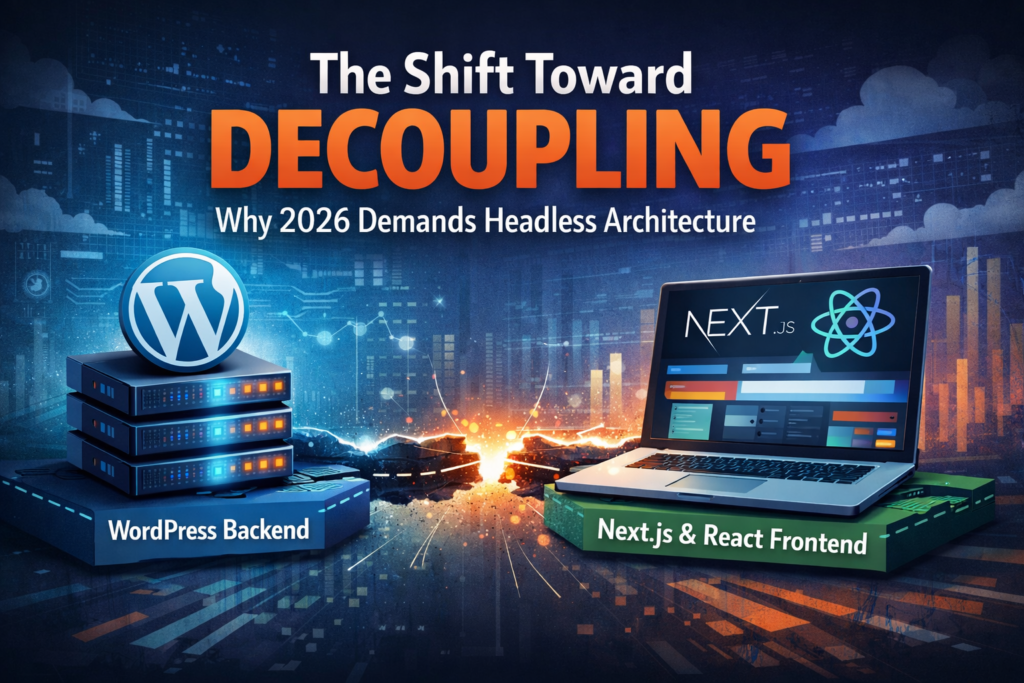
By 2026, user expectations for instant loading, personalized experiences, and omnichannel delivery have rendered monolithic architectures obsolete. Traditional coupled CMS platforms struggle with bloat, security vulnerabilities, and rigid templating.
The decoupling trend—fueled by frameworks like Next.js—addresses these pain points head-on. Headless WordPress lets organizations retain their existing content workflows while modernizing the presentation layer. This shift isn’t just technical; it’s strategic. Enterprises report 2-5x faster build times, superior SEO, and easier multi-channel publishing when they adopt headless architecture.
For CTOs managing large content teams and senior developers optimizing for performance budgets, the move to headless WordPress React delivers measurable ROI through reduced infrastructure costs and accelerated feature velocity.
Why Traditional WordPress Falls Short—and How Headless WP Solves It
Traditional WordPress remains the world’s most popular CMS, powering over 40% of websites. However, its monolithic design creates inherent bottlenecks in 2026:
- Performance drag: Every page load triggers PHP execution, database queries, and theme/plugin overhead, hurting Time to First Byte (TTFB) and Largest Contentful Paint (LCP).
- Core Web Vitals challenges: Plugin conflicts, unoptimized images, and render-blocking resources frequently push sites below Google’s “good” thresholds.
- Scalability limits: High traffic spikes overwhelm shared hosting, leading to downtime or costly vertical scaling.
Headless WordPress eliminates these issues entirely. WordPress serves solely as the backend content repository. All rendering happens on the frontend via Next.js or React, enabling static site generation (SSG), incremental static regeneration (ISR), and edge caching. The result? Sub-100ms load times, perfect Lighthouse scores, and effortless scaling via CDNs like Vercel or Cloudflare.
This architecture directly resolves Core Web Vitals issues by removing server-side rendering overhead for static content while retaining dynamic capabilities where needed. Teams report 40-60% improvements in performance metrics after migrating to headless WordPress.
Platform Comparison: Strapi CMS, Sanity CMS, and Headless WordPress
When selecting the best headless CMS for Next.js, three options frequently rise to the top: Strapi CMS, Sanity CMS, and Headless WordPress. Each has strengths, but WordPress as a headless CMS often proves the smartest choice for teams already proficient with the WordPress dashboard.
Strapi CMS is a Node.js-based, open-source self-hosted headless CMS beloved by developers for its customizable admin panel and TypeScript-first API layer. It excels in projects requiring complex data modeling but demands more initial setup and lacks WordPress’s mature content editor ecosystem.
Sanity CMS offers a real-time, collaborative content studio with GROQ querying. Its managed service provides excellent developer experience and live previews, making it ideal for content-heavy marketing teams. However, it introduces vendor dependency and higher ongoing costs compared to self-hosted alternatives.
Headless WordPress combines the battle-tested WordPress admin interface—familiar to millions of editors—with robust APIs. It requires minimal training for content teams while giving developers full freedom on the Next.js frontend. For organizations with existing WordPress investments, this familiarity translates to faster onboarding and lower total cost of ownership.
Summary Comparison Table
| CMS Option | Speed | Ease of Use | Cost (Typical Monthly) |
|---|---|---|---|
| Headless WordPress | Excellent (with ISR/edge caching) | High (familiar WP dashboard) | Low ($10–50 self-hosted) |
| Strapi CMS | Excellent | Medium-High (dev-focused setup) | Low-Medium (free self-host or $18+ cloud) |
| Sanity CMS | Excellent | High (intuitive studio + real-time) | Medium ($15+/user or $99+ plans) |
Headless WordPress wins for most established teams because it preserves editorial workflows while delivering modern performance—no new CMS to learn, no content migration required.
Technical Stack: Connecting WordPress as a Headless CMS to Next.js and React
Implementing headless WordPress React is straightforward and production-ready in 2026. The core integration relies on WordPress’s native REST API or the powerful WPGraphQL plugin.
Step-by-Step Integration
- Backend Setup: Install WordPress on a secure, self-hosted environment (or managed host optimized for API traffic). Enable the REST API endpoints or install WPGraphQL for efficient querying. For headless WooCommerce, activate the WooCommerce REST API or WooGraphQL extension.
- Frontend with Next.js: Create a new Next.js project using the App Router. Fetch content server-side with
fetchor a GraphQL client like Apollo or urql. Example using WPGraphQL:
   // app/posts/[slug]/page.tsx
   async function getPost(slug: string) {
     const res = await fetch(`${WP_API_URL}/graphql`, {
       method: 'POST',
       headers: { 'Content-Type': 'application/json' },
       body: JSON.stringify({
         query: `
           query GetPost($slug: String!) {
             postBy(slug: $slug) {
               title
               content
               featuredImage { node { sourceUrl } }
             }
           }
         `,
         variables: { slug },
       }),
       next: { revalidate: 3600 } // ISR example
     });
     return res.json();
}- Benefits of React Server Components (RSC) and ISR: Next.js‘s React Server Components allow direct server-side data fetching without client-side JavaScript bloat. Combine this with Incremental Static Regeneration (ISR) to rebuild pages on-demand or on a schedule—perfect for content sites that need freshness without full rebuilds. The result is a hybrid approach: static performance where possible, dynamic interactivity where required.
This stack gives senior developers fine-grained control over caching, streaming, and partial prerendering while maintaining SEO-friendly static HTML.
Headless WooCommerce: High-Performance E-commerce Storefronts
Headless CMS ecommerce reaches its full potential with headless WooCommerce. Traditional WooCommerce themes suffer from the same PHP bottlenecks as core WordPress. Decoupling unlocks true enterprise performance.
In a headless WooCommerce setup:
- WooCommerce handles inventory, orders, payments, and customer data via its robust REST/GraphQL APIs.
- Next.js powers the storefront with product listings, cart/checkout flows, and personalized recommendations.
- Features like React Server Components enable server-rendered product pages with ISR for pricing updates, while client components handle interactive elements like add-to-cart animations.
Benefits include sub-second page loads (critical for conversion rates), mobile-first UX, and seamless integration with modern payment gateways. Brands using headless WooCommerce report significant lifts in Core Web Vitals and revenue, as the frontend can be optimized independently of the backend.
This architecture is ideal for self-hosted headless CMS deployments where data sovereignty and customization are non-negotiable.
Why CTOs and Senior Frontend Developers Choose This Stack
For CTOs, WordPress as a headless CMS reduces risk: leverage existing content teams, avoid expensive migrations, and scale cost-effectively with self-hosted infrastructure. Security patches remain centralized in WordPress while the Next.js frontend benefits from modern vulnerability management.
Senior frontend developers gain a clean separation of concerns. No more fighting PHP templates or plugin conflicts. Full access to React ecosystem tools, TypeScript, and Next.js primitives like parallel routes and intercepting routes accelerates development velocity.
The combination of headless WordPress React delivers:
- Unmatched developer experience
- Enterprise-grade content governance
- Future-proof scalability
- Superior SEO and performance metrics
Getting Started and Best Practices
Start small: Set up a proof-of-concept with a single content type. Use official starters like Faust.js for Next.js + headless WordPress or community templates for headless WooCommerce. Implement authentication via JWT or headless WordPress plugins, and monitor performance with Vercel Analytics or Lighthouse CI.
Security best practices include API rate limiting, CORS configuration, and environment-specific secrets. For production, deploy the Next.js frontend to edge platforms and keep WordPress on optimized, isolated hosting.
Conclusion: The Decoupled Future Is Here
In 2026, headless architecture is no longer experimental—it’s the standard for high-performance web development. WordPress as a headless CMS paired with Next.js and React offers the perfect balance of familiarity, flexibility, and speed. Whether you’re optimizing existing properties or launching new headless CMS ecommerce experiences with headless WooCommerce, this stack empowers teams to build faster, perform better, and scale confidently.
CTOs and senior developers ready to future-proof their web presence should evaluate headless WordPress today. The best headless CMS for Next.js isn’t always the newest—it’s often the one your team already knows how to use effectively. The decoupled future isn’t coming—it’s already here, and WordPress is leading the way.